---
name: "Brand Image Generator"
description: "User wants to create images that match their brand identity or maintain visual consistency.
Triggers: \"create a brand image\", \"generate image with my brand colors\", \"make an image that matches our brand\",
\"brand-consistent visual\", \"image using our brand guidelines\"
"
requiredApps: [google_gemini]
---

Maintain visual consistency across all generated images with your brand identity. Store your brand guidelines—colors, typography, style preferences, logo usage, and tone—then generate images that automatically incorporate these elements.

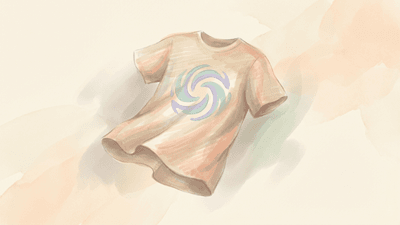
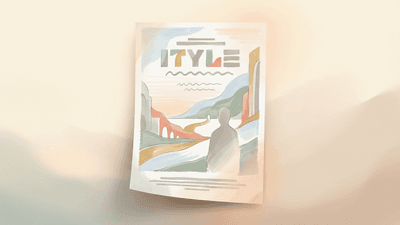
The skill understands what you're trying to communicate and routes to the most appropriate image composition style: flat-lay product photos, educational diagrams, product mockups, marketing posters, visual explainers, or custom compositions. Each image is crafted with your brand colors, aesthetic, and visual language naturally integrated.

Perfect for creating marketing materials, product showcases, educational content, and any visual that needs to reflect your brand identity. All images maintain consistency while leveraging specialized composition styles for maximum visual impact.


**Limitations:** Brand guidelines must be set up first. Generated images incorporate brand elements but may require refinement for exact brand compliance.


## Skills

This skill depends on the following skills. Use these if needed.

**AI Image Studio**
When: Custom compositions not covered by specialized skills
Follow the instructions in: `skills/sauna/brand.image.generator/references/skills/media.image.generator/SKILL.md`

**Flat-Lay Photo Creator**
When: User wants product flat-lay or organized item display
Follow the instructions in: `skills/sauna/brand.image.generator/references/skills/media.knolling.creator/SKILL.md`

**Diagram Maker**
When: User wants educational diagrams or process flows
Follow the instructions in: `skills/sauna/brand.image.generator/references/skills/media.whiteboard.creator/SKILL.md`

**Brand Mockup Creator**
When: User wants product mockups or branded merchandise
Follow the instructions in: `skills/sauna/brand.image.generator/references/skills/media.mockup.creator/SKILL.md`

**Movie Poster Creator**
When: User wants marketing posters or campaign visuals
Follow the instructions in: `skills/sauna/brand.image.generator/references/skills/media.poster.creator/SKILL.md`

**Infographic Creator**
When: User wants concept visualization or visual explainers
Follow the instructions in: `skills/sauna/brand.image.generator/references/skills/media.explainer.creator/SKILL.md`


## Tasks

These are tasks you can execute. Read the task file to get your instructions:

**Setup Brand Guidelines**
When: User wants to set up or update brand guidelines
Follow the instructions in: `skills/sauna/brand.image.generator/references/recipes/brand.guidelines.setup.md`

**Generate Brand-Consistent Image**
When: User wants to generate a brand-consistent image
Follow the instructions in: `skills/sauna/brand.image.generator/references/recipes/brand.image.generate.md`


## State

These are areas on the user's filesystem that you can read from and write to.

**Projects**
When: Read brand guidelines before generating images
Use this directory: `documents/work/projects/**/*.md`
Usage Guide: Project and product workspace. Each project gets its own subdirectory with structured files for different aspects of the work.
## Directory Structure work/projects/{project-name}/
  context.md     - Product vision, target users, competitors, pricing
  brand.md       - Brand guidelines, colors, typography, voice
  roadmap.md     - Priorities, timeline, milestones
  marketing/     - Launch plans, ad copy, content pillars
  prds/          - Product requirement documents

## Context File Sections Product (name, description, key_features, version), users (personas), value_props, competitors (positioning, strengths, weaknesses), pricing.
## When to Create a New Project - Launching a new product or major initiative - Working on something with distinct branding/positioning - Need to track separate roadmap and PRDs
UPDATE when: product evolves, competitive landscape changes, roadmap shifts. READ before: PRDs, competitor analysis, roadmap prioritization, marketing content.
Use {project-name}/context.md for the main product information. Brainstorm sessions and analysis outputs also save here.